Tide Business Bank: Features, Benefits, and How to Use the Tide Referral Code: REFER200
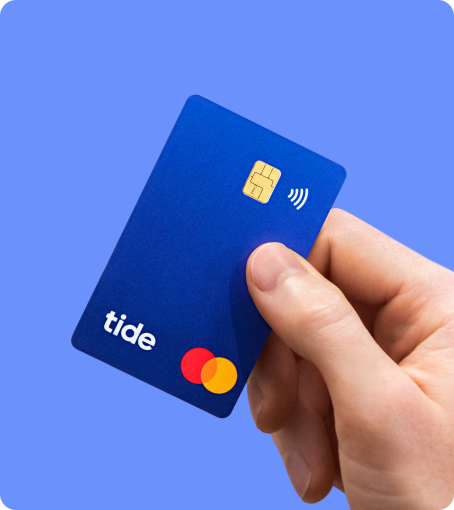
Tide is a UK-based financial platform built specifically for small businesses, sole traders, contractors, and fast-growing startups. Instead of trying to be “all things to all people,” Tide focuses on the day-to-day tools business owners actually use: opening a business account quickly, paying and getting paid, staying on top of expenses, and keeping records clean for tax time.
Below is a practical, longform guide to what Tide offers, who it suits, and exactly how to use the Tide referral code REFER200.
What is Tide?
Tide provides UK business current accounts with a modern app and web dashboard, plus a growing toolkit that replaces a patchwork of spreadsheets and inbox reminders. Accounts come with a UK sort code and account number, a business Mastercard® (virtual and physical), and integrations that plug into popular accounting software.
Note: Tide provides UK business accounts in partnership with a licensed banking partner. Eligible deposits are typically protected under the Financial Services Compensation Scheme (FSCS) up to £85,000 per eligible person, per institution (standard UK protection). Always check the latest details inside the Tide app or on their site.
Who Tide Is Best For
- New businesses that want to open an account quickly without branch visits.
- Sole traders and freelancers who need simple invoicing and clean bookkeeping.
- Small companies with teams that need multiple cards, spending controls, and role-based access.
- Digital-first businesses that prefer app + web support over traditional branch banking.
Key Features (and Why They Matter)
1) Fast Setup & Digital Onboarding
Open a business account from your phone or laptop, upload ID and business details, and track progress in-app.
Benefit: Less admin time; start invoicing and receiving payments quickly.
2) Business Mastercard® (Physical + Virtual)
Create virtual cards instantly for online spend; order physical cards for yourself and your team.
Benefit: Separate business and personal spend; issue team cards without sharing yours.
3) Sub-Accounts & Pots
Create dedicated spaces for tax, VAT, payroll, or projects; move money between them in seconds.
Benefit: Clear budgeting and ring-fenced funds so tax time isn’t a shock.
4) Expense Cards for Team Members
Give staff their own cards with spend limits, merchant rules, and instant freeze/unfreeze.
Benefit: Real control and visibility; fewer reimbursement claims and lost receipts.
5) Integrated Invoicing
Create branded invoices, send them from the app, match incoming payments, and automate reminders.
Benefit: Get paid faster, reduce awkward chasing, and keep your ledger tidy.
6) Accounting Integrations
Sync to the big names (e.g., Xero, QuickBooks, Sage, FreeAgent) and export tidy CSVs when needed.
Benefit: Cuts manual entry and reduces bookkeeping errors.
7) Smart Categorisation & VAT Tools
Auto-categorise transactions, mark them as allowable/disallowable, track VAT, and set aside money in pots.
Benefit: Better records now; fewer surprises later (and a smoother hand-off to your accountant).
8) Open Banking & Bank Feeds
Connect other business accounts to see cash across providers in one place.
Benefit: Single dashboard visibility for smarter cash decisions.
9) International Payments (via partners)
Make and receive international transfers through integrated partners from within the Tide experience.
Benefit: Keep cross-border payments inside your main workflow.
10) Cash Deposits at the Post Office® and PayPoint
Pay in cash nationwide (fees apply; check current rates in the app).
Benefit: Cash-heavy businesses aren’t left out of a digital platform.
11) Roles & Permissions
Invite your accountant or team; give each person the right access (view, prepare, approve, pay).
Benefit: Clear controls as you grow; better oversight and audit trail.
12) Credit & Funding Options (through partners)
Apply for working capital and other credit products from within Tide’s ecosystem (subject to eligibility).
Benefit: One hub for everyday banking and finance.
13) Security, Compliance & Support
Strong authentication, device-level security, and in-app/web support.
Benefit: Peace of mind while staying firmly paperless.
Benefits at a Glance
- Save time: faster onboarding, instant cards, and automated invoicing/chasing.
- Reduce admin: categorisation, VAT tools, and tight accounting integrations.
- Improve control: sub-accounts, spending limits, and role-based access.
- Scale smoothly: add users, cards, and integrations as you grow.
- Stay compliant: cleaner records, better audit trails, and professional invoicing.
Pricing & Plans (What to Expect)
Tide typically offers a free plan with core features and paid tiers that add perks like:
- Priority support and faster transfers/allowances
- More included expense cards and team features
- Higher limits, advanced tools, and sometimes card rewards/cashback
Exact plan names, limits, and fees can change. Check the latest plans and what’s included directly in the Tide app or on their website before you choose.
Limitations to Consider (So You’re Not Surprised)
- No physical branches: everything’s app and web.
- Cash & cheques: cash is supported via Post Office/PayPoint; cheque options are limited compared to high-street banks.
- Overdrafts: not typically the focus; working capital is offered via partners instead.
- International: handled through partners—great for simplicity, but always compare rates.
How to Open a Tide Business Account (Step-by-Step)
- Download the Tide app (or start on desktop).
- Enter your business details: company type, trading name, registered address, etc.
- Verify your identity and provide any requested documents.
- Get your sort code & account number once approved.
- Order your card(s) and create virtual cards immediately.
- Connect accounting and set up sub-accounts/pots for tax and VAT.
- Send your first invoice or make your first payment—done!
The Tide Referral Code REFER200 (How to Claim the £200 Offer)
If you’re opening a new Tide business account, you can use the referral code REFER200 during sign-up.
What the offer is
- £200 credit for new Tide business customers who meet the eligibility criteria and complete the required steps (e.g., full approval and qualifying account activity).
- The exact conditions (such as timelines, minimum spend, payments, or verification steps) can vary. Always check the current terms shown in the app/website during sign-up.
- Currently you need to complete £100 of card transactions to receive £75 FREE and deposit £5k in a Tide Savings Account to get another £125. Full terms and conditions can be found here: https://www.tide.co/partnerships/refer-save-refer200/
How to use REFER200 (no fuss)
- Start your application in the Tide app or on the Tide website.
- When asked for a referral code, enter REFER200.
- Complete KYC and get fully approved.
- Follow the instructions in the app to complete any qualifying actions (for example, making card purchases, setting up a transfer or direct debit—whatever the current terms require).
- Receive your £200 credit once Tide confirms you’ve met the criteria.
Tips to make sure you don’t miss out
- Enter REFER200 exactly as shown during the sign-up flow.
- Complete all verification steps promptly.
- Check your app notifications and email for any additional tasks or deadlines tied to the offer.
- Keep a record of qualifying activity in case you need to query support.
Important: Referral promotions can change or be withdrawn. The current eligibility rules, timelines, and payout method shown by Tide take precedence over any general description here.
Frequently Asked Questions
Is Tide a bank?
Tide provides business accounts and financial services in partnership with a licensed banking provider. From a user’s perspective, you get a UK business current account with all the tools you’d expect. Regulatory protections (like FSCS) apply to eligible deposits held with the underlying bank—check the latest disclosures in-app.
Can I use Tide if I’m a sole trader?
Yes—Tide supports sole traders and limited companies, among others. The sign-up flow adapts to your business type.
Does Tide support accountants?
Absolutely. Invite your accountant with the right access level and connect your accounting platform for live bank feeds.
How do I deposit cash?
Use the Post Office or PayPoint. Fees and limits apply—confirm current details inside the app.
Can I send money abroad?
Yes, typically via integrated partners from within the Tide experience. Check rates and fees before you send.
Is there a web app, or is it mobile-only?
Tide works on both mobile and web, so you can manage your account from your desk or on the go.
Practical Setup Checklist
- Add sub-accounts (pots) for VAT and tax
- Order staff cards and set spend limits
- Turn on invoice reminders and payment matching
- Connect accounting (Xero/QuickBooks/Sage/FreeAgent)
- Enable notifications for incoming payments and low balances
- Review plan tiers once you know your monthly volume
- Apply REFER200 during sign-up if you’re new to Tide
Bottom Line
Tide strips away banking friction for small businesses. You get fast onboarding, strong expense control, clean accounting feeds, and a modern app experience—without the overhead of branch banking. If you’re opening a new account, the Tide referral code REFER200 is a handy way to unlock a £200 incentive (subject to Tide’s current terms). For many UK founders and freelancers, it’s an easy, digital-first way to handle money, keep tidy records, and focus on growing the business.